GRID Gamers โ€” Tournaments Made Simple

GRID
EVENT CREATION

I led a six-person team redesigning the mobile event-creation flow in the GRID app โ€” my first project there, and the app's core setup experience. The old flow buried tournament configuration in one long form; the redesign broke it into clear steps and got organizers publishing faster.

CompanyGRID Gamers โ€” collegiate esports
RoleProduct Designer (led a team of 6)
Timeline2024 โ€” 2025
PlatformGRID mobile app
01
Overview
01Overview
Overview

The App's Core Setup Experience

GRID is a platform for running collegiate esports tournaments. I owned product design across its surfaces โ€” event management, calendar, analytics, marketplace, and the PaaS dashboard โ€” on a cross-platform (web + mobile) design system that kept engineering handoff clean.

The project I went deepest on was event creation: the flow an organizer uses to set up and publish a tournament. It was my first project at GRID, and the one with the clearest problem to solve.
Problem

One Long Form for Everything

Setting up an event meant working through a single long form that mixed event, game, and tournament settings together. A seven-segment progress bar had no labels, so organizers lost track of where they were, and key concepts sat hidden behind info icons.

The most common feedback in testing was simple: too much scrolling, and losing your place. The data model wasn't the problem โ€” the interface didn't reflect it.

Structure

Three Steps, One Hub

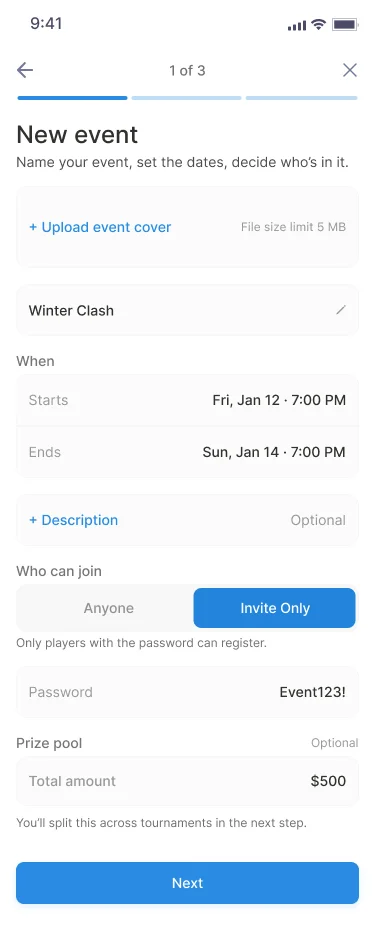
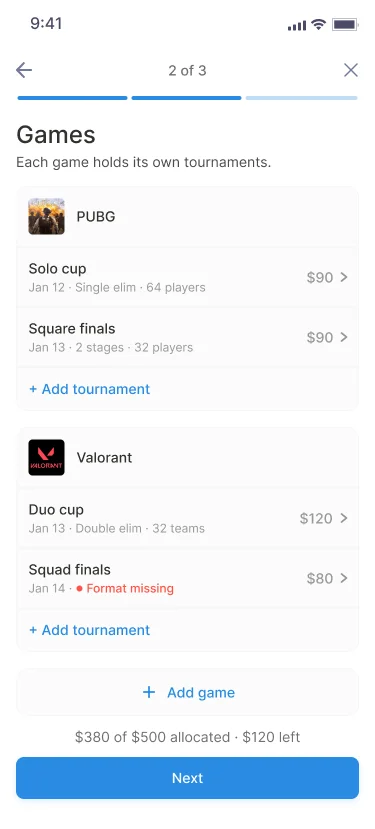
I broke it into a three-step event flow โ€” New event โ†’ Games โ†’ Event review. Games is the hub: each tournament opens in its own sheet and lands back on the list when you're done.

New event โ€” name, dates, who can join
Games hub โ€” tournaments grouped by game

New event โ†’ Games. The event holds the basics; Games is the hub where every tournament lives, each with its prize share and status.

Principles

Progressive Disclosure, Contextual Settings, Multi-level Review

  • Progressive disclosure โ€” you only see the level you're working on. Most organizers take the defaults; the details are one tap away.
  • Contextual settings โ€” settings adapt to what you're setting up, and a tournament inherits the event's dates, location, and cover automatically.
  • Multi-level review โ€” you're never blocked mid-flow; review catches what's missing before anything publishes.
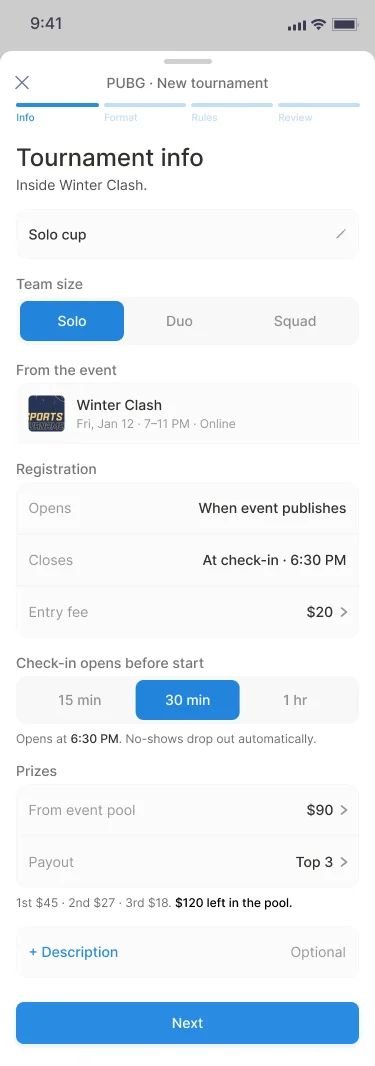
Tournament info
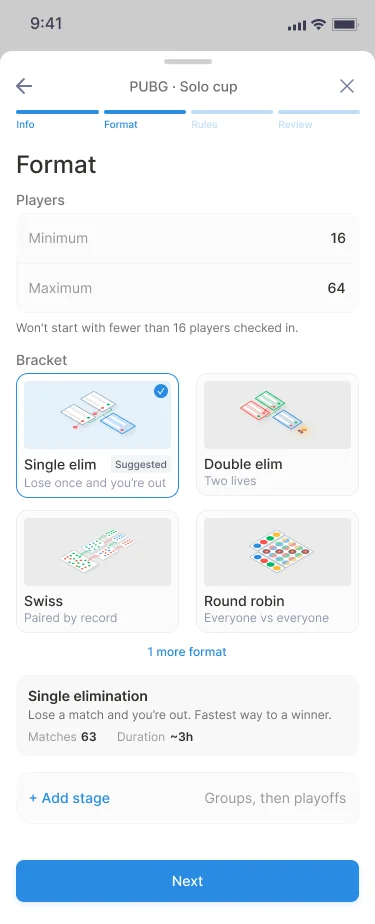
Format โ€” single stage
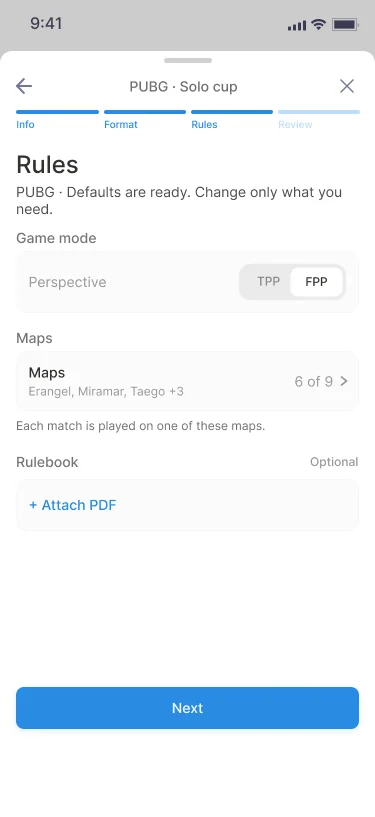
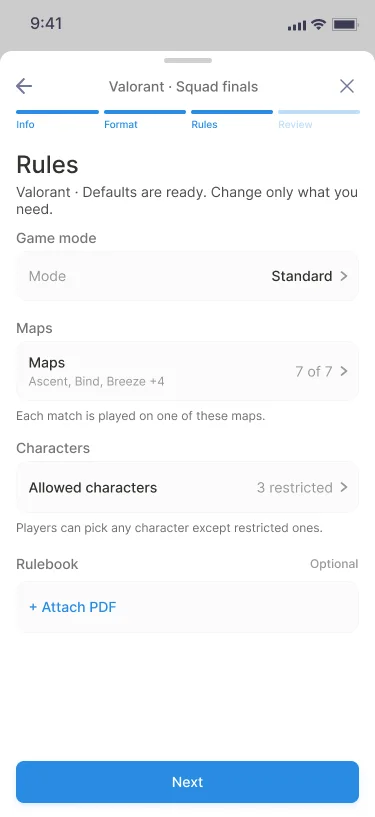
Rules
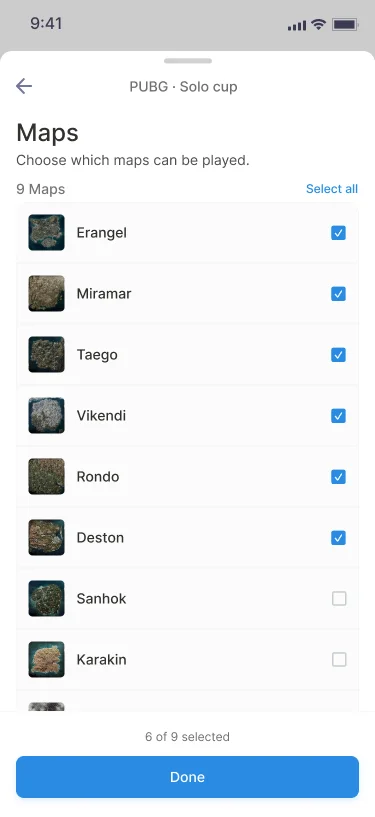
Maps

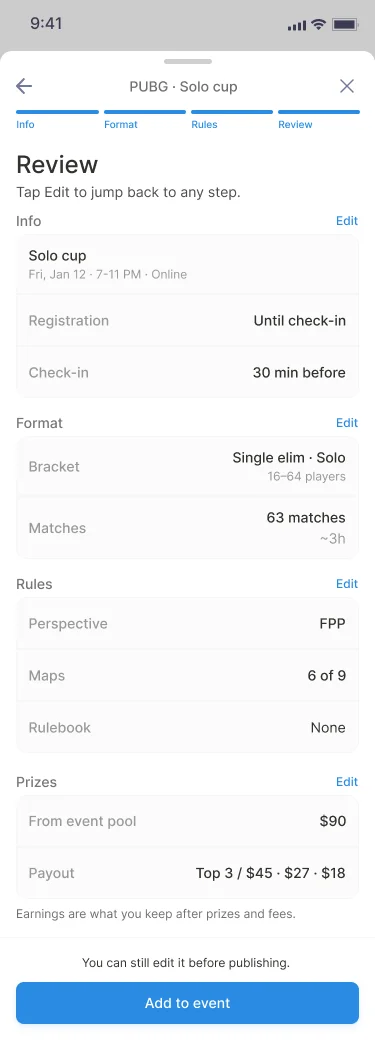
Inside a tournament. Each one opens in its own sheet โ€” Info โ†’ Format โ†’ Rules โ†’ Review โ€” so you only ever go one level down, then return to Games.

Decisions ยท Format

Format Adapts to Stages

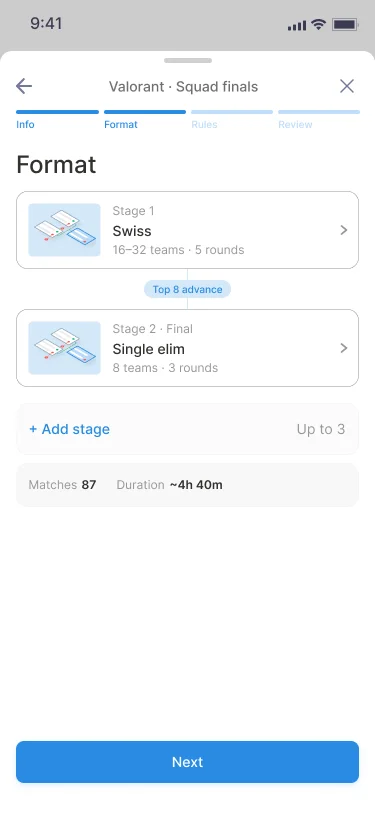
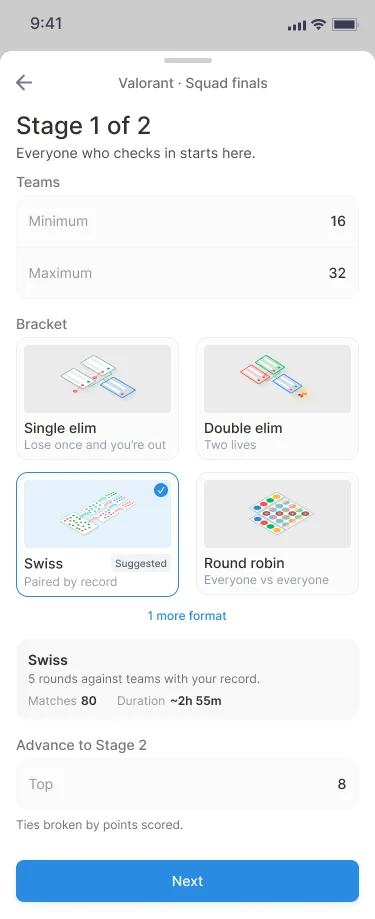
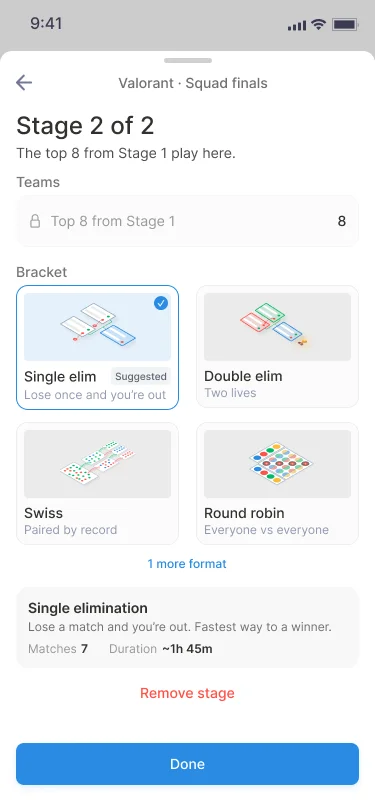
A single-stage tournament is one bracket โ€” pick it and you're done. Add a stage and Format becomes an overview; each stage opens in the same editor, and advance counts are edited in the earlier stage so they can't get out of sync.

Single-stage format โ€” pick one bracket
Multi-stage format โ€” overview of stages

Single stage vs. multi-stage. One bracket on the left; a two-stage tournament on the right, where Format becomes an overview.

Stage 1 โ€” Swiss
Stage 2 โ€” Single elimination

Each stage opens in the same editor โ€” here Stage 1 (Swiss) feeds the top 8 into Stage 2 (single elim).

Decisions ยท Maps

One System, A List Per Game

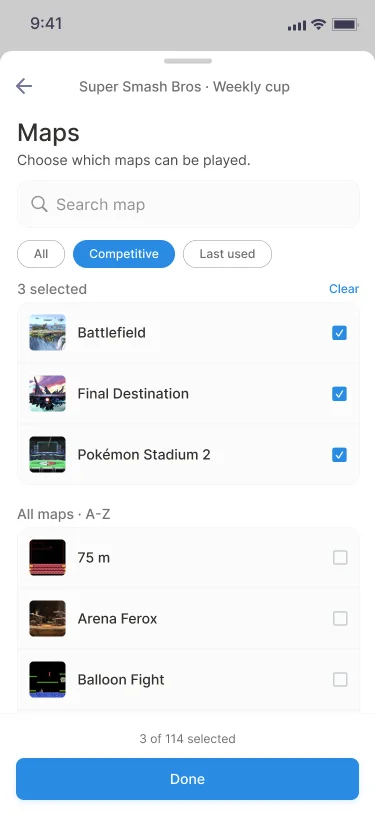
Every game brings its own maps, modes, and categories, so one fixed list never fits. The design system stays unified, but the map step reshapes itself per game โ€” PUBG's short map list is a simple checklist, while a large, categorized library like Super Smash Bros. gets search, filters, and selected maps pinned on top. Same component, fit to the game.

PUBG maps โ€” 9 maps as a checklist
Super Smash Bros. maps โ€” search and filters for 100+ maps

Unified system, per-game lists. A simple checklist for PUBG; search and filters for a large, categorized library like Super Smash Bros.

Decisions ยท Characters

Some Games Pick or Ban Characters

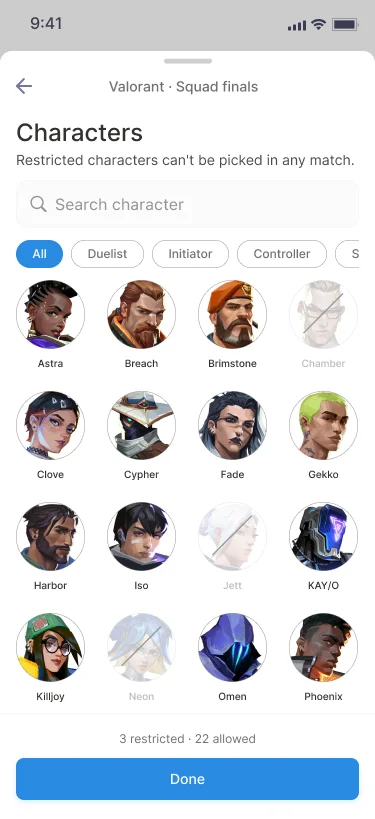
Certain games need a character step. When a publisher restricts characters for competitive play in a given patch, organizers set which are allowed or banned here, so every match in the tournament follows the same rule.

Valorant rules
Valorant characters โ€” restricted vs allowed

Valorant, as one example. A rules step plus a character step โ€” here three characters are restricted and 22 allowed, applied to every match.

Decisions ยท Review

Permissive Mid-flow, Strict at Review

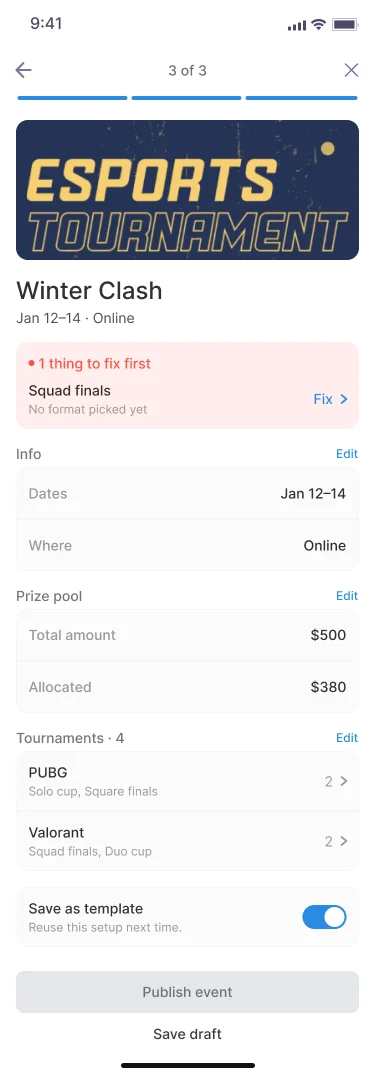
You can leave a tournament unfinished and keep going โ€” Games marks it "Format missing". Event review then lists "1 thing to fix first" with a Fix link, and Publish stays disabled until it's resolved. Nothing blocks you until the one moment it should.

Tournament review
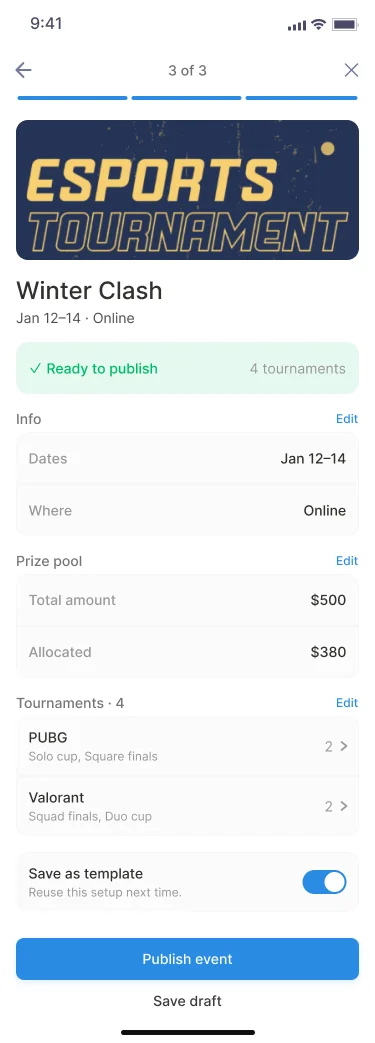
Event review โ€” ready to publish
Event review โ€” one thing to fix first

Two levels of review.Each tournament reviews before it's added; the event reviews before it publishes โ€” green when ready, a single clear fix when not.

Results

Faster to Publish, Fewer People Lost

I validated the redesign with 80 collegiate esports coaches and organizers, randomly split between the original flow and the redesign, with every session timed. Tap count stayed about the same โ€” the speedup came from people not getting lost, not from fewer steps.

~90 โ†’ <50
Median minutes to publish an event
60 โ†’ 75%
Task completion rate
80
Coaches & organizers tested, two groups
What came next

From a Flow to a System

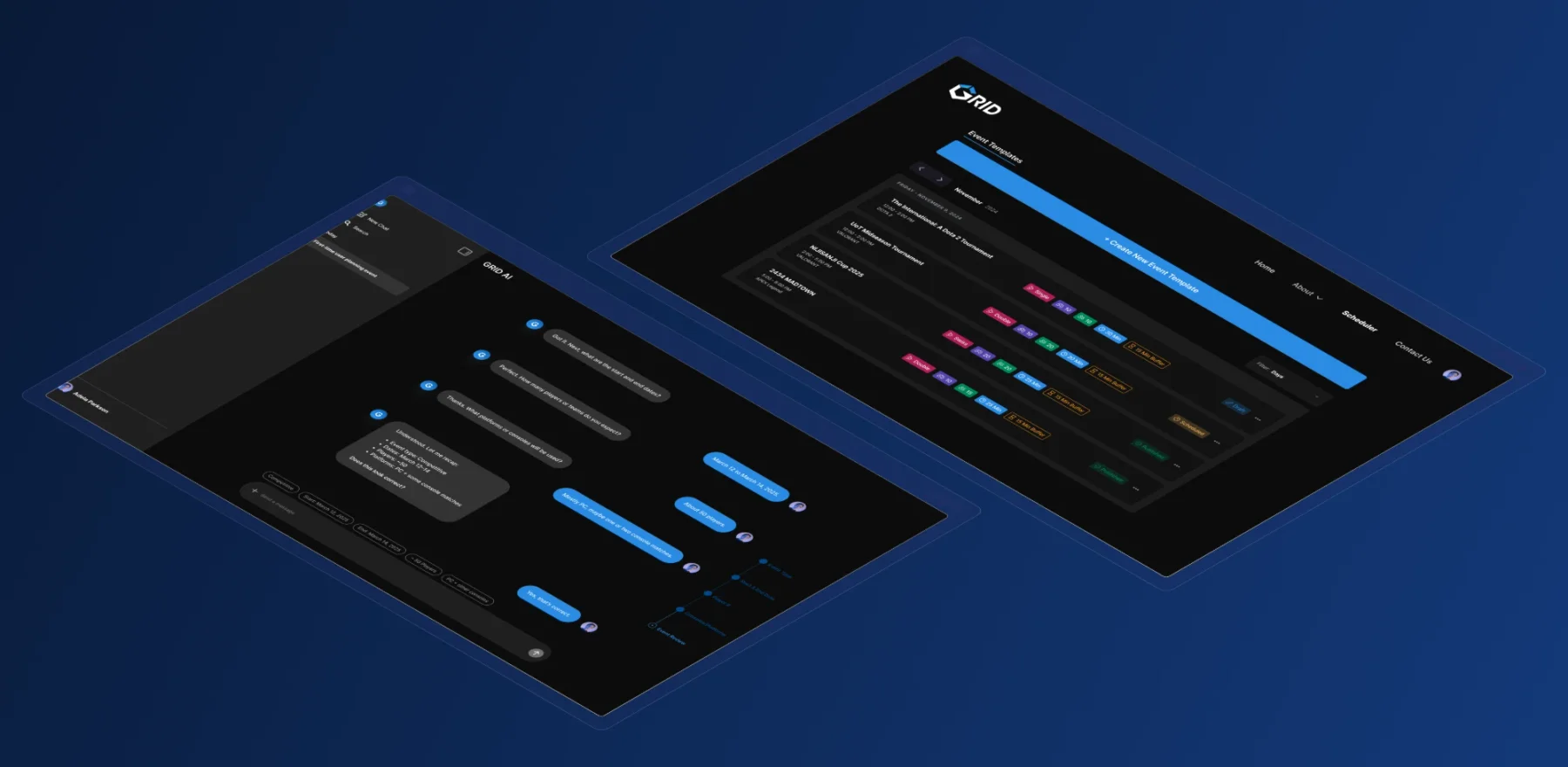
The event-creation redesign set the structure for GRID's other setup tools. On the same Event โ†’ Game โ†’ Tournament model, I went on to design an LLM-powered tournament setup โ€” natural-language configuration paired with conflict-aware scheduling โ€” on web.

See the GRID AI & Scheduler deck โ†—

GRID AI and Scheduler โ€” web tools built on the same model

GRID AI & Scheduler. Setup as a conversation, and events saved as reusable, conflict-aware templates โ€” both on web, on the same Event โ†’ Game โ†’ Tournament model.

Next Project
APOLLO ID
โ†’